Incomplete Workflow Dashboard
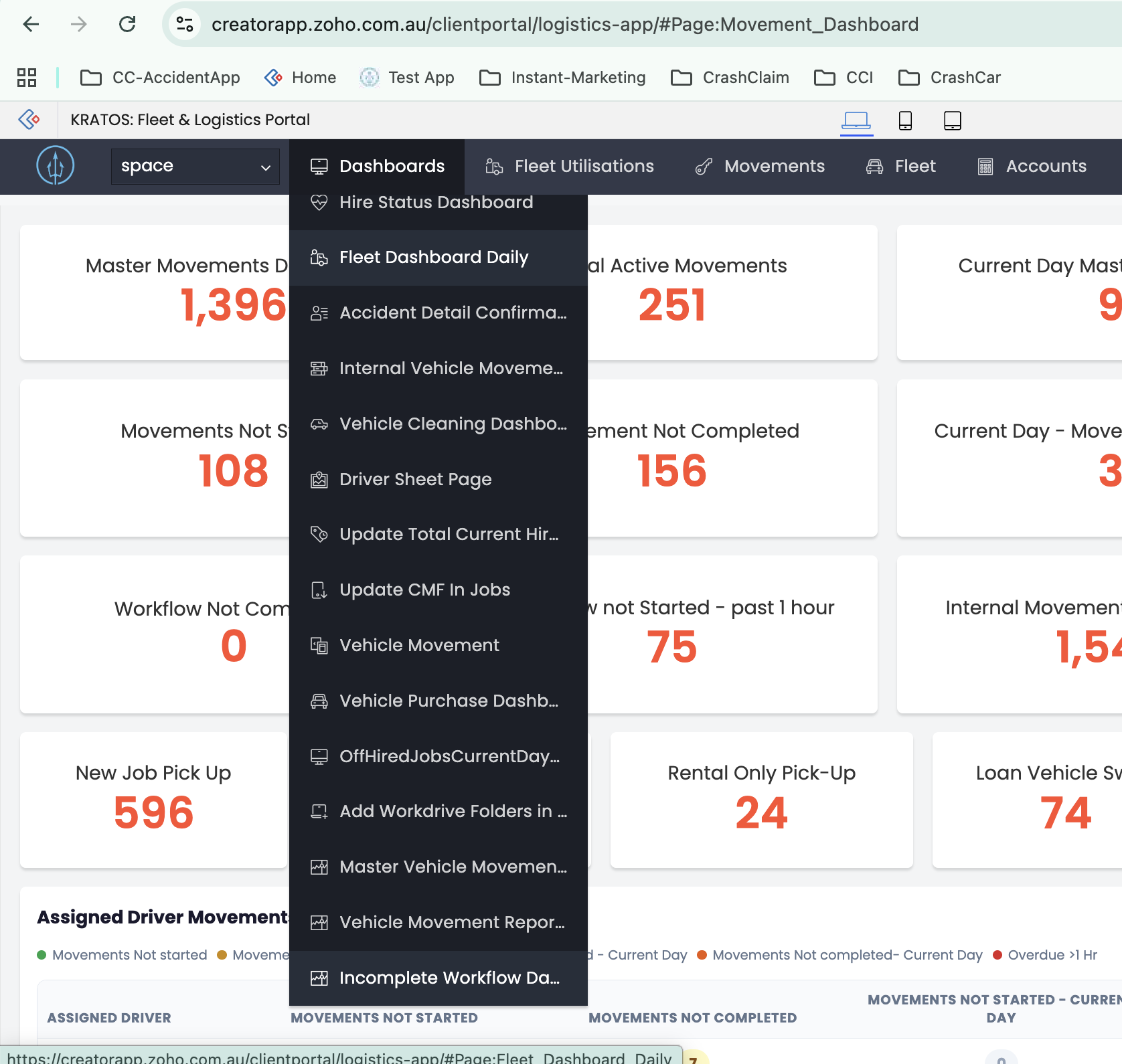
Where to Find It
- App: KRATOS: Fleet & Logistics Portal
- Menu path: Dashboards → Incomplete Workflow Dashboard
- URL: creatorapp.zoho.com.au/clientportal/logistics-app/#Page:Movement_Dashboard
Panels
Workflow Types
- CC Flow
- Delivery Flow
- Loan Car Swap Flow
- PRI Flow
- Recto Flow
- Rental Only Pick-Up
Every panel below excludes Cancel and Rejected claims.
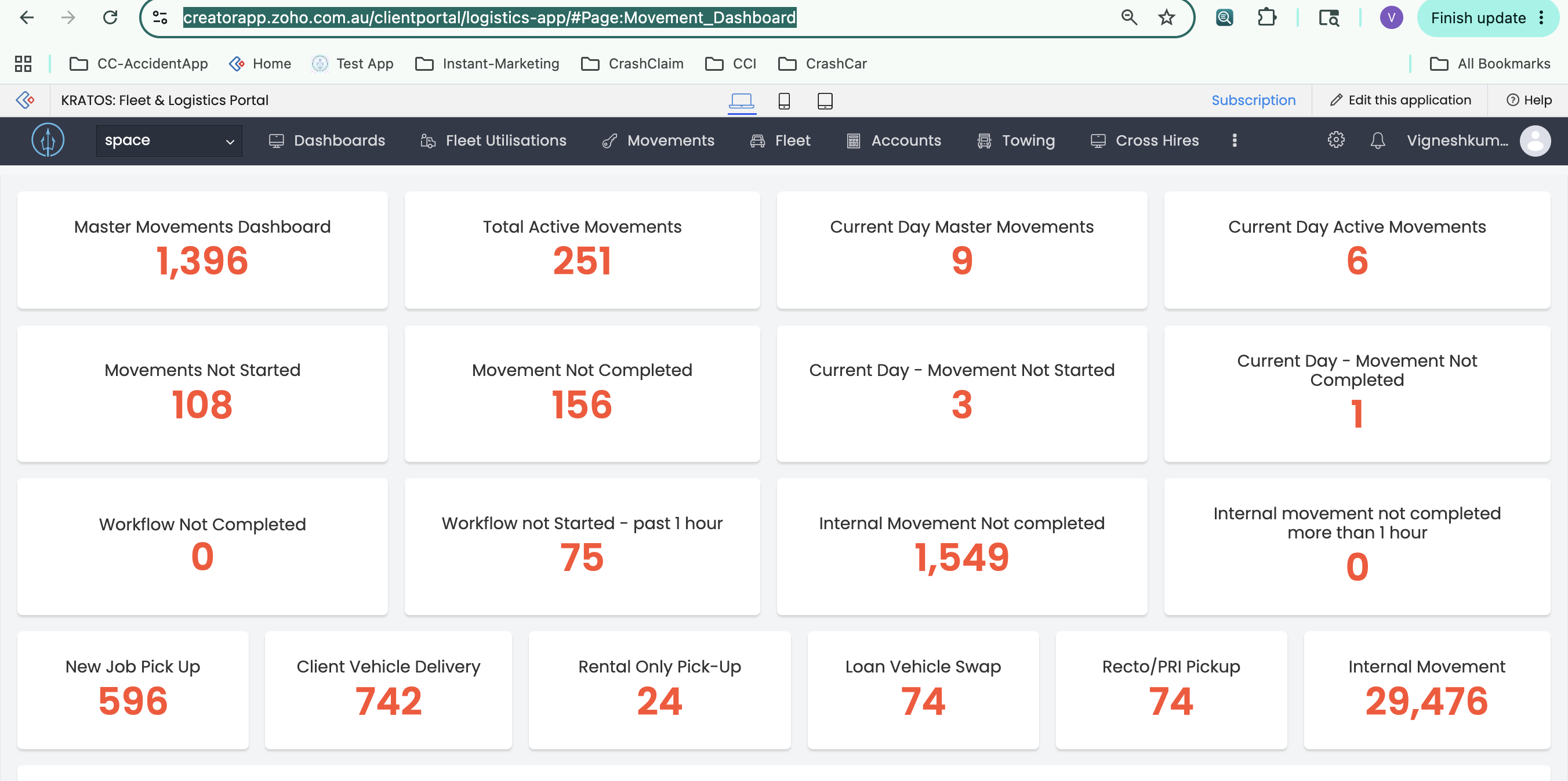
1. Master Movements Dashboard
All movements created by a movement workflow show up here — every workflow type is included. Total count of all movements, any status.
Criteria: Booking date is not null.
On Click: Opens the report Master_Movements_Report. Clicking a record redirects to the Movement Details page.
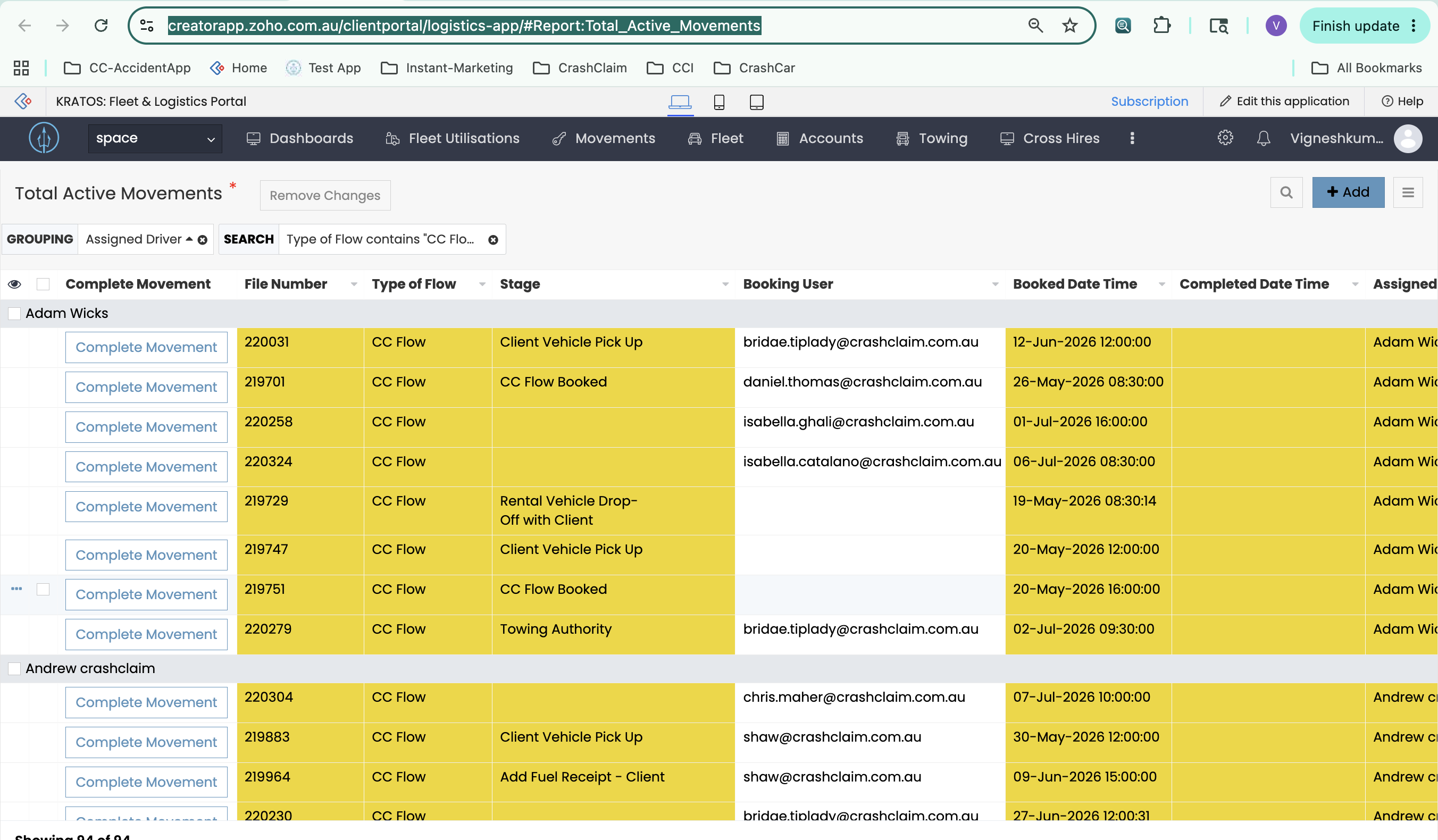
2. Total Active Movements
Movements booked and still in progress.
Criteria: Booking date and time is not null and Completed date and time is null.
On Click: Opens the report Total_Active_Movements. The Complete Movement action button redirects to the Movement Details page.
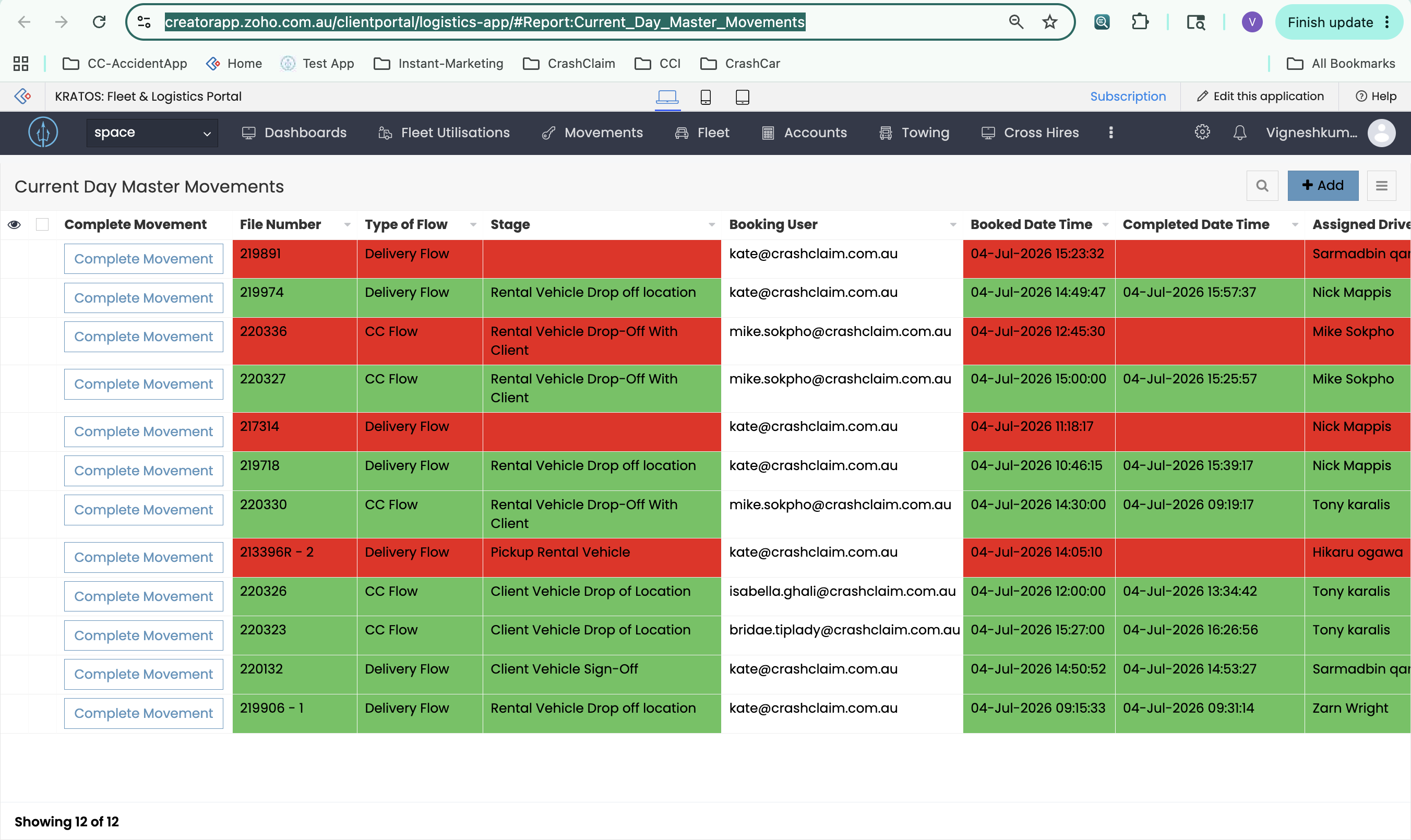
3. Current Day Master Movements
All movements booked today.
Criteria: Same as Master Movements Dashboard, booking date and time is today.
On Click: Opens the report Current_Day_Master_Movements. The Complete Movement action button redirects to the Movement Details page.
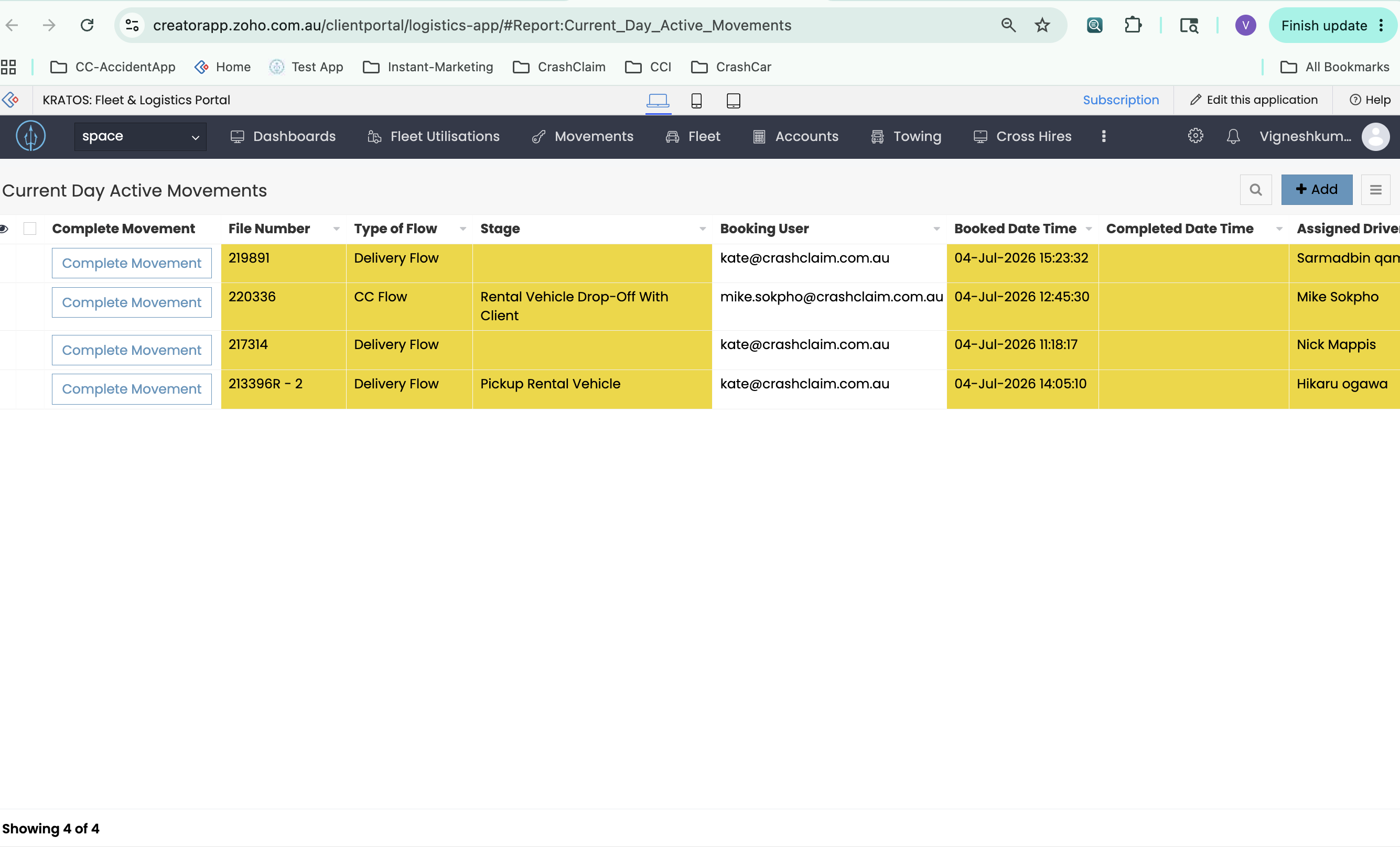
4. Current Day Active Movements
Today's movements still in progress.
Criteria: Booking date and time is today and Completed date and time is null.
On Click: Opens the report Current_Day_Active_Movements. The Complete Movement action button redirects to the Movement Details page.
5. Movements Not Started
Movements past their booking time that haven't started yet.
Criteria: Booking time has passed and movement stage not started.
On Click: Opens the report Movements_Not_Started. The Complete Movement action button redirects to the Movement Details page.
6. Movement Not Completed
Movements that started but haven't finished.
Criteria: Movement stage started but stage not completed, and booking time has passed.
On Click: Opens the report Movement_Not_Completed. The Complete Movement action button redirects to the Movement Details page.
7. Current Day - Movement Not Started
Today's movements that haven't started yet.
Criteria: Same as Movements Not Started, booking date and time is today.
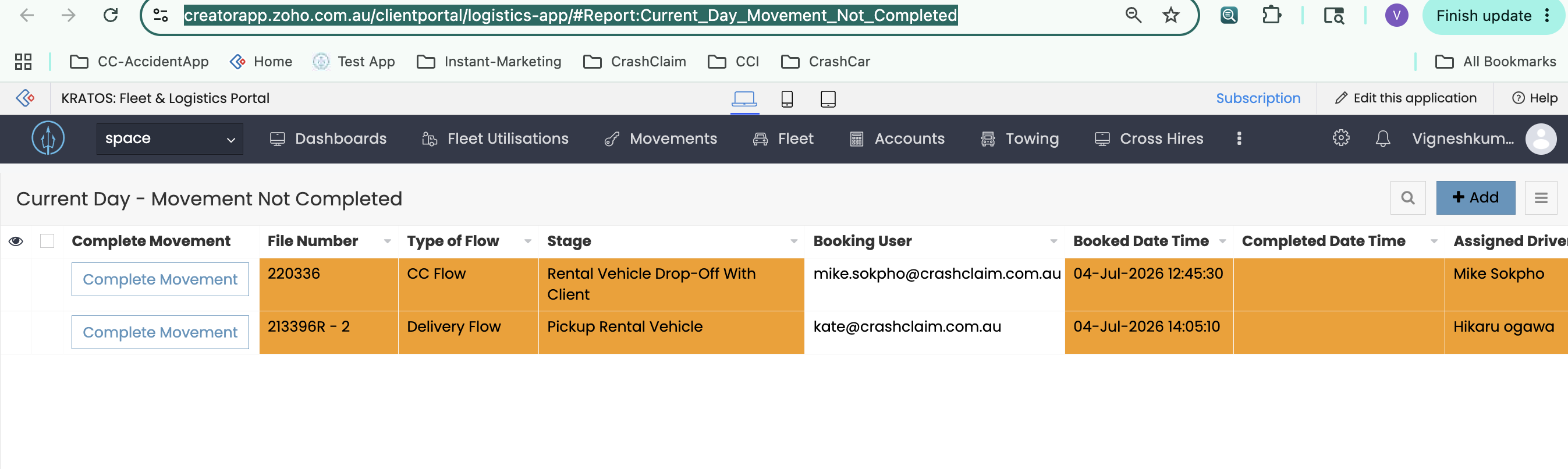
8. Current Day - Movement Not Completed
Today's movements that started but haven't finished.
Criteria: Same as Movement Not Completed, booking date and time is today.
On Click: Opens the report Current_Day_Movement_Not_Completed. The Complete Movement action button redirects to the Movement Details page.
9. Workflow Not Completed
Workflows running more than 2 hours without finishing.
Criteria: Workflow start date and time is more than 2 hours ago and Workflow End date and time is null.
On Click: Opens the report Workflow_Not_completed. The Complete Movement action button redirects to the Movement Details page.
10. Workflow not Started - past 1 hour
Movements booked more than 1 hour ago that still haven't started.
Criteria: Booking date and time is more than 1 hour ago, and Workflow Stage not started.
On Click: Opens the report Workflow_not_Started_past_1_hour. The Complete Movement action button redirects to the Movement Details page.
11. Internal Movement Not Completed
This record contains all workflow movements and Internal Movement via Cliq/Kratos.
Criteria: Movement Status not equal to Completed.
On Click: Opens the report Internal_Movement_Not_completed. The Complete Movement action button redirects to the Movement Details page.
12. Internal Movement Not Completed - past 1 hour
Same as above, overdue by more than 1 hour.
Criteria: Same as Internal Movement Not Completed, and booking time or vehicle pick up date time is more than 1 hour overdue.
On Click: Opens the report Internal_movement_not_completed_more_than_1_hour. The Complete Movement action button redirects to the Movement Details page.
13. New Job Pick Up
Movements for new claim pick-ups.
Criteria: Movement Workflow Type is New Job Pick-Up (all Active and Completed movements are visible here).
On Click: Opens the report CC_Workflow_Report. The Complete Movement action button redirects to the Movement Details page.
14. Client Vehicle Delivery
Movements for delivery jobs.
Criteria: Movement Workflow Type is Delivery (all Active and Completed movements are visible here).
15. Rental Only Pick-Up
Movements for rental-only pick-up jobs.
Criteria: Movement Workflow Type is Rental Only Pick-Up (all Active and Completed movements are visible here).
On Click: Opens the report Rental_Only_Pick_Up. The Complete Movement action button redirects to the Movement Details page.
16. Loan Vehicle Swap
Movements for loan car swap jobs.
Criteria: Movement Workflow Type is Loan Car Swap (all Active and Completed movements are visible here).
On Click: Opens the report Loan_Car_Swap_Workflow. The Complete Movement action button redirects to the Movement Details page.
17. Recto/PRI Pickup
Movements for Recto or PRI pick-up jobs.
Criteria: Movement Workflow Type is Recto/PRI Pickup (all Active and Completed movements are visible here).
On Click: Opens the report Recto_PRI_Pickup_flow. The Complete Movement action button redirects to the Movement Details page.
18. Internal Movement
All internal vehicle movement records.
Criteria: No filter applied — includes all records.
On Click: Opens the report Internal_Movements. The Complete Movement action button redirects to the Movement Details page.