Update Repair ETA Button Added to Hire Over 21 Days Report
Date: 28 May 2026 System: Zoho Creator — Logistics App (Fleet) Type: Enhancement Requested by: Brahma Teja (IT, CrashClaim) Developed by: Sanjai Guru Closed by: Brahma Teja Sprint: Sprint 12 (25 May – 31 May 2026) ClickUp: 86c7ym2cb
What Changed
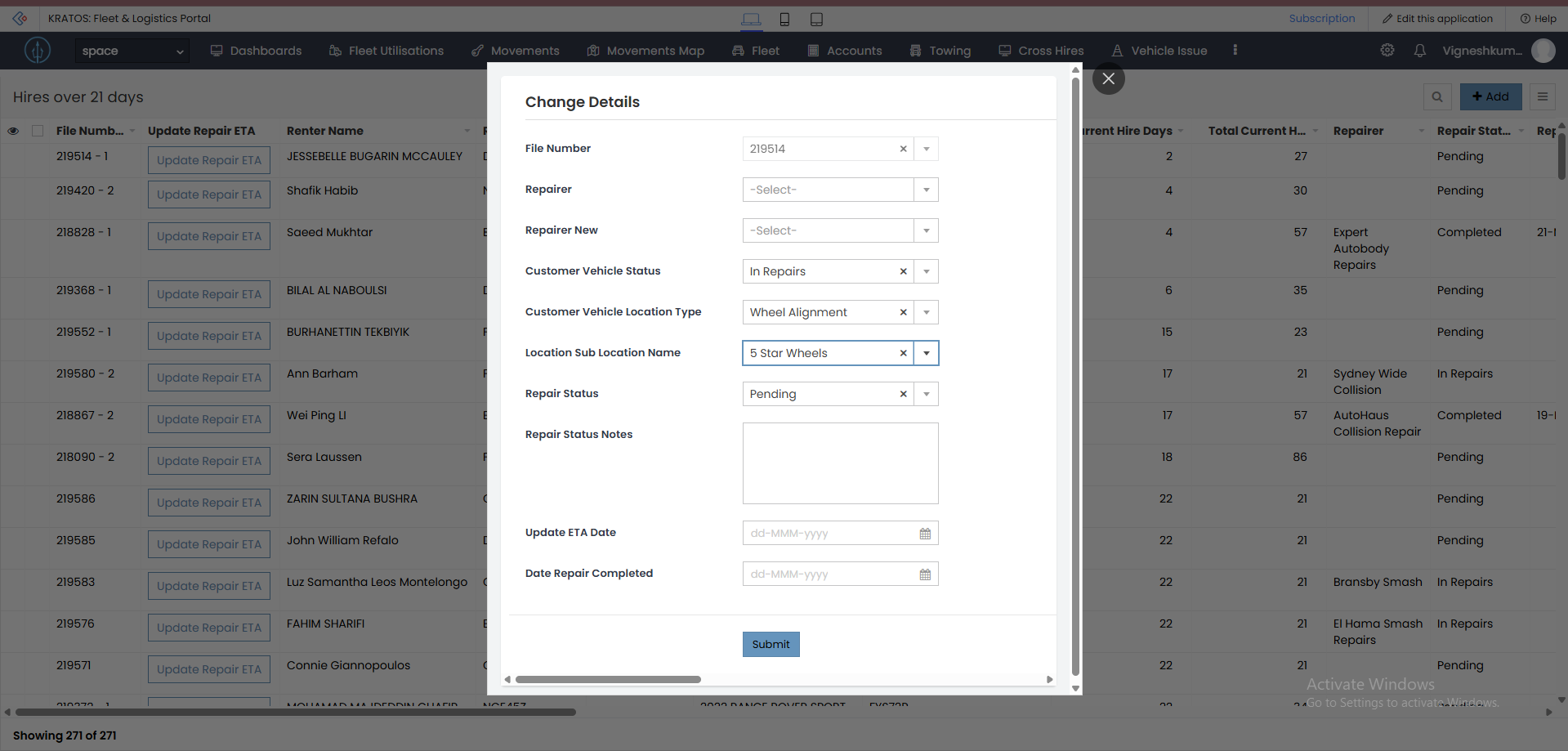
An Update Repair ETA button has been added to the Hire Over 21 Days report in the Logistics App. Staff can now update the repair ETA directly from within the report without navigating away.
Before
The Hire Over 21 Days report listed overdue hires but had no action button — staff had to manually navigate elsewhere to update repair ETAs.
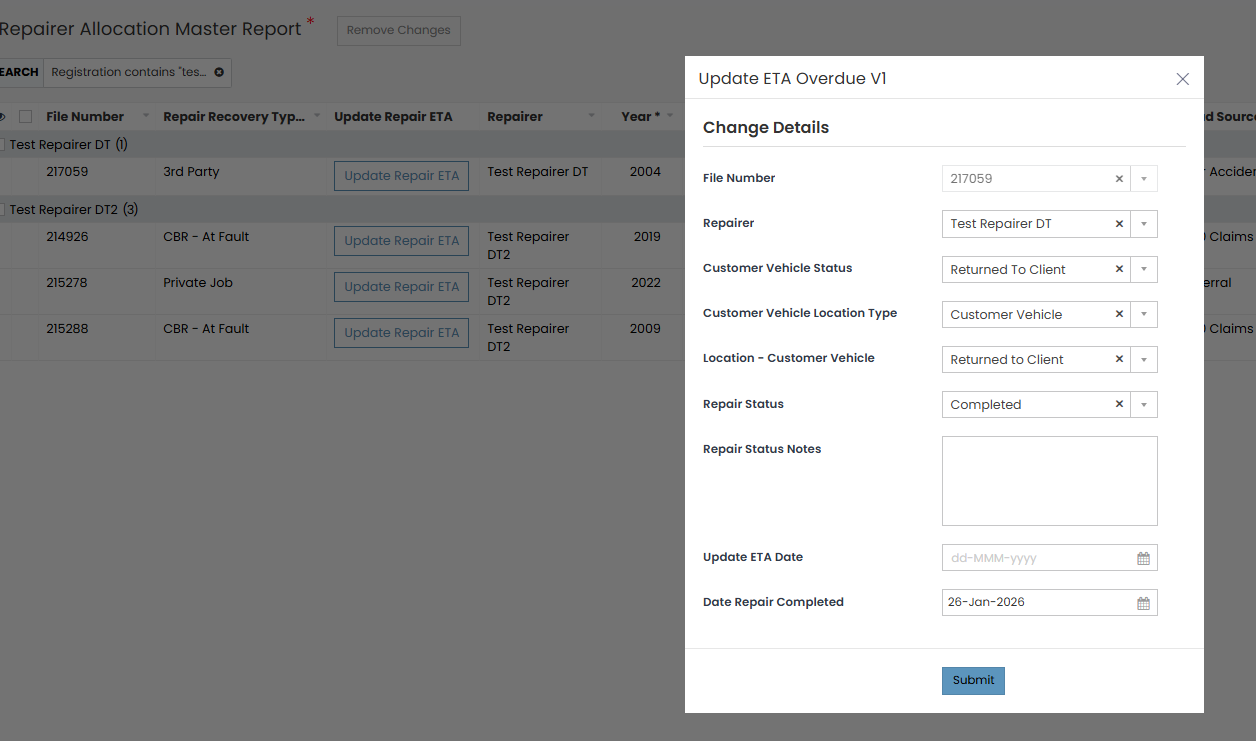
After
A new Update Repair ETA button appears in the report. Clicking it opens the Update ETA Overdue V1 page where staff can update the repair timeline directly.
Technical Details
| Component | Detail |
|---|---|
| Report | Hire Over 21 Days |
| New Page | Update ETA Overdue V1 |
| Function | report_actions.open_Update_ETA_Overdue_V1_Page |
| App | Logistics App (Client Portal) |
Profile Permissions granted:
- Claims Handler Access
- Exec Manager Access — Read
Who Is Affected
| Role | Impact |
|---|---|
| Claims Handlers | Can now update repair ETAs directly from the Hire Over 21 Days report |
| Exec Managers | Read access to the Update ETA page |
| Operations team | Faster workflow — no need to navigate away from the report |
Sign-off
| Role | Name | Date |
|---|---|---|
| Task Owner / Investigator | Sanjai Guru | 28 May 2026 |
| Developer / Fix Owner | Sanjai Guru | 28 May 2026 |
| Internal Review | Vignesh & Manisha | — |
| Task Closure | Brahma Teja | 11 Jun 2026 |